Conditionals
Comparison Operators
Equality
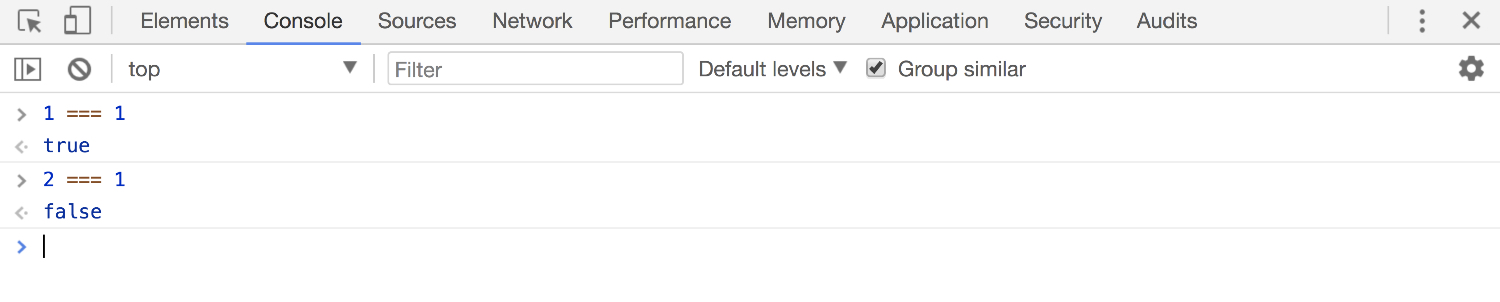
We use the===operator to check if two values are the same. If the values on either side of the === are equal, the expression will return the boolean true, if the values on either side are not equal, the expression will return false.
Not Equal
We use the != operator to check if two values are NOT the same. Here's the tricky part, if the values on either side of the != are NOT equal, the expression will result in the boolean true, if the values on either side are equal, the expression will return false.

Greater Than & Less Than
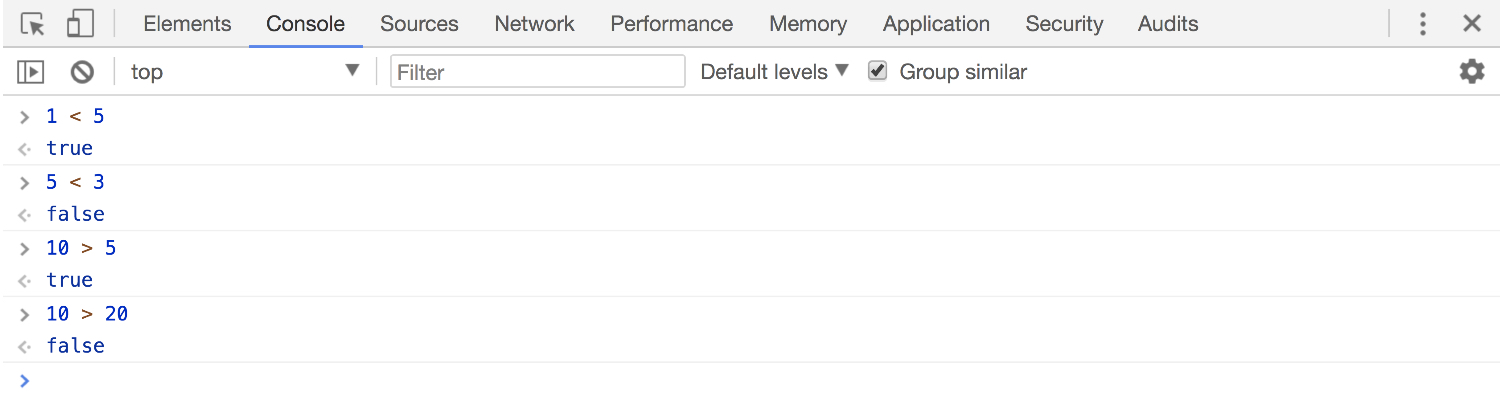
We use the > (greater than) operator and < (less than) operator to check if the value on the left side of the equation is greater than or less than the value on the right side.
If Statements
If statements are one of the most fundamental parts of programming, with the power of an if statement, you have the ability to control what happens in your program!
When we learned about Booleans we also learned about comparison operators that are often used to check the answers to yes or no questions. Based on the answers to these questions, we want our code to be able to respond appropriately. This is where if statements come in. They allow us to control which code gets evaluated, and when.
If statements rely on a condition. A condition is something that can evaluate to true or to false. They work hand in hand with our Boolean data type.

The condition can be a variable that is set (or evaluates) to either true or false, like so:
var raining = true

if (raining) {
   console.log("Bring an umbrella");
}

>> "Bring an umbrella"
We could also use a comparison operator within a condition:
var weather = "raining"

if (weather === "raining") {
   console.log("Bring an umbrella");
}

>> "Bring an umbrella"
In both these examples, the code wrapped inside the curly brackets of the respective if statements will only be run if their conditions evaluate to true.
Else
We can also add an else clause to our if statement.
var weather = "clear skies"

if (weather === "raining") {
  console.log("Bring an umbrella")
} else {
  console.log("Bring sunglasses")
}

>> "Bring sunglasses"
When we add an else clause to our if statement, the code within its curly brackets will be run when the if condition is not true. In this case, weather is not "raining", and so the code within the else block will run.
Else If
We can also check for more than one condition by using else if clauses. In the above example, JavaScript will check ifweatheris"raining". If it isn't, then it will check ifweatheris"snowing". If it isn't, then it will evaluate the code in the else block. Because in the above exampleweatheris equal to"snowing", the code within the else if block will run.
var weather = "snowing"

if (weather === "raining") {
  console.log("Bring an umbrella")
} else if (weather === "snowing") {
  console.log("Bring mittens")
} else {
  console.log("Bring sunglasses")
}

>> "Bring mittens"
Tip: If you're struggling to understand some code, go through it slowly and read it out loud. When you were first learning to read, you probably had to sound out the words, letter by letter. This technique works for code too!